Schedule a daily JSON to Excel export with cron
Run a daily JSON to Excel export with cron: one idempotency key per run, a download before the link expires, and a size check. Script and crontab line included.
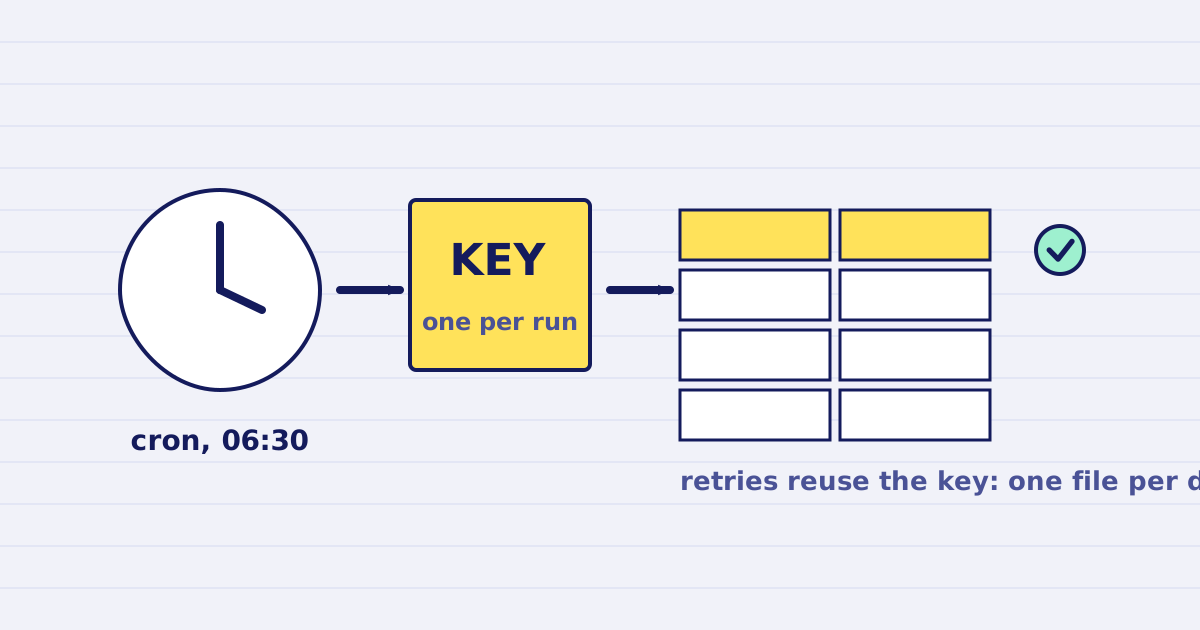
A scheduled export needs three things that a one-off export does not: one idempotency key per run, a copy of the file before its link expires, and a failure that shows up in your logs. The script below does all three, and cron runs it once a day.
A daily report fails in quiet ways. A request times out, the job runs again, and you build the file twice. The signed link expires before anyone opens it. A half-finished download gets saved under an .xlsx name, and the report opens with an error. This guide shows a job that is safe to run twice and that fails loudly when something is wrong.
It builds on the JSON to Excel Node.js and Python guide, which explains the payload and the size check. This one covers the schedule and the retries.
The schedule
This crontab line runs the job at 06:30 every day:
30 6 * * * /usr/bin/node --env-file=/opt/exports/.env /opt/exports/export-orders.mjs >> /var/log/orders-export.log 2>&1
- The file
/opt/exports/.envholdsJUSTAPI_KEY=.... Keep it readable only by the user that runs cron (chmod 600), and keep the key out of the crontab itself. The--env-fileflag needs Node.js 20.6 or later, as the Node.js CLI reference describes. - Cron uses the server's time zone. The script names files by UTC date, so set the server to UTC, or change the date logic to match your time zone. The crontab manual lists the fields.
- Your monitoring reads the exit code. The script exits with
1on any failure and writes the reason to the log.
The script
Save this as export-orders.mjs. Replace fetchOrders with your own query, and change OUT_DIR to a folder on your server.
import { createHash } from 'node:crypto';
import { mkdir, stat, writeFile } from 'node:fs/promises';
import path from 'node:path';

const API = 'https://api.justapi.tech';
const KEY = process.env.JUSTAPI_KEY;
const OUT_DIR = '/var/exports/orders';
const MAX_ATTEMPTS = 3;

class Refused extends Error {} // 4xx: the request is wrong, retrying cannot help

// One key per report date. Every retry of the same run sends the same key and
// the same body, so the API returns the first response instead of building the file again.
function runKey(date) {
  const hex = createHash('sha256').update(`orders-export:${date}`).digest('hex');
  const variant = ((parseInt(hex[16], 16) & 0x3) | 0x8).toString(16); // RFC 4122 variant bits
  return [hex.slice(0, 8), hex.slice(8, 12), '5' + hex.slice(13, 16), variant + hex.slice(17, 20), hex.slice(20, 32)].join('-');
}

// Replace this with your own query. Return one object per row.
async function fetchOrders(date) {
  return [
    { order: '00123', amount: 1250.5, placed: date },
    { order: '00124', amount: 98, placed: date },
  ];
}

function sheetsFor(rows) {
  return [{
    name: 'Orders',
    columns: [
      { header: 'Order', key: 'order', type: 'string' },
      { header: 'Amount', key: 'amount', type: 'number', format: '$#,##0.00' },
      { header: 'Placed', key: 'placed', type: 'date', format: 'yyyy-mm-dd' },
    ],
    rows,
  }];
}

async function postWithRetry(body, key) {
  let lastError;
  for (let attempt = 1; attempt <= MAX_ATTEMPTS; attempt++) {
    try {
      const res = await fetch(`${API}/v1/xlsx/generate`, {
        method: 'POST',
        headers: {
          Authorization: `Bearer ${KEY}`,
          'Content-Type': 'application/json',
          'Idempotency-Key': key,
        },
        body: JSON.stringify(body),
        signal: AbortSignal.timeout(120_000),
      });
      if (res.ok) return res.json();
      const text = await res.text();
      if (res.status !== 429 && res.status < 500) throw new Refused(`HTTP ${res.status} ${text}`);
      lastError = new Error(`HTTP ${res.status}`);
    } catch (err) {
      if (err instanceof Refused) throw err;
      lastError = err; // timeout or dropped connection: the same key makes the retry safe
    }
    if (attempt < MAX_ATTEMPTS) await new Promise((resolve) => setTimeout(resolve, 5_000 * attempt));
  }
  throw lastError;
}

async function exists(file) {
  return stat(file).then(() => true, () => false);
}

export async function runExport(date = new Date().toISOString().slice(0, 10)) {
  const filename = `orders-${date}.xlsx`;
  const file = path.join(OUT_DIR, filename);
  if (await exists(file)) return { file, skipped: 'already exported' };

  const rows = await fetchOrders(date);
  const body = { sheets: sheetsFor(rows), options: { filename, allowFormulas: false } };
  const { job_id, result } = await postWithRetry(body, runKey(date));
  if (!result?.url) throw new Error(`job ${job_id} returned no download link; check it before retrying`);

  const res = await fetch(result.url); // the link is signed, so no key is sent
  if (!res.ok) throw new Error(`download failed: HTTP ${res.status}`);
  const bytes = Buffer.from(await res.arrayBuffer());
  if (bytes.length !== result.bytes) {
    throw new Error(`size mismatch: got ${bytes.length} bytes, expected ${result.bytes}`);
  }

  await mkdir(OUT_DIR, { recursive: true });
  await writeFile(file, bytes);
  return { file, job_id, bytes: bytes.length, rows: rows.length };
}

const date = process.argv[2] ?? new Date().toISOString().slice(0, 10);
try {
  console.log(JSON.stringify(await runExport(date)));
} catch (err) {
  console.error(`export ${date} failed: ${err.message}`);
  process.exitCode = 1;
}
Four parts do the work:
runKey(date)returns the same UUID-shaped key for the same date. A retry of the same run sends the same key and the same body, so the API returns the first response instead of building the file again. The key comes from the date, so a retry needs no saved state.postWithRetryretries timeouts, dropped connections,429and5xxresponses, up to three attempts, with waits of 5 and then 10 seconds. A4xxstops at once, because the request itself is wrong and sending it again changes nothing.- The download check compares the bytes you received with
result.bytes, as the earlier guide explains. - The skip exits without calling the API when the file for that date already exists. Running cron twice on the same day is harmless.
What the retry does and does not protect
The key covers the body too. If the rows change between two attempts of the same run, the API returns 409 idempotency_conflict, and the script stops. That is intended. A different body under the same key means the run is no longer the same run, so decide what to send before you retry.
Replays return the first response for 24 hours. A replay can come back without a url when the file is almost expired. The script stops and prints the job ID in that case. Check the job, and if you need a new file, create one under a new key.
What we tested
We ran the script against a local stub that follows the response shapes in the reference. The stub drops the first response after it creates the job. The script waited, retried with the same key, and the stub counted one job. A second run for the same date skipped the API. The --env-file flag loaded the key. A wrong key stopped the run at once with exit code 1. The same key with a different body returned 409.
The stub is not the live service. Before you schedule the job, run it once by hand with a real key, open the file and check one identifier, one amount and one date.
Before you schedule it
- Run the script by hand for a past date. The file should open, and a second run should skip.
- Copy the file to your storage in the same run. The local file is only the first step, because the signed link expires. The retention guide gives the windows for each plan.
- Set an alert on exit code
1, or on a missing file at 07:00.
Large exports and other options
If a workbook would pass the sync row limit from the earlier guide, split the export into parts, one per branch or month. Give each part its own key, such as orders-export:2026-11-02:branch-07, so each part replays on its own.
If you do not want the request to wait, mode: "async" returns at once and sends a webhook when the file is ready. It does not raise the row limit. The webhook guide explains how to handle a delivery that arrives twice.
Keep reading
-
Export JSON to Excel from Node.js and Python
Generate an .xlsx file from JSON in Node.js or Python, check the download size, keep formulas off and know the row limit before you send the export. -
JSON to Excel with styles: generate .xlsx files by API
Build a styled Excel workbook from JSON with one API call. Define sheets, columns, types, number formats and header styles, then download the .xlsx file.